Skip to content
Features The demo The driver space Pricing Guides Français Sign in Create my account
Contact us +242 06 814 96 96 +242 05 767 96 96 [email protected]

Home › Features

Features

What MOUTOUKA does, screen by screen

For the owner, the manager and the driver. Each screenshot below is the application as it is, in French, on a demonstration fleet — names, number plates and amounts are fictitious. The application itself is available in English.

Watch the one-minute demo →

Vehicles

One file, one grade, one profit per vehicle

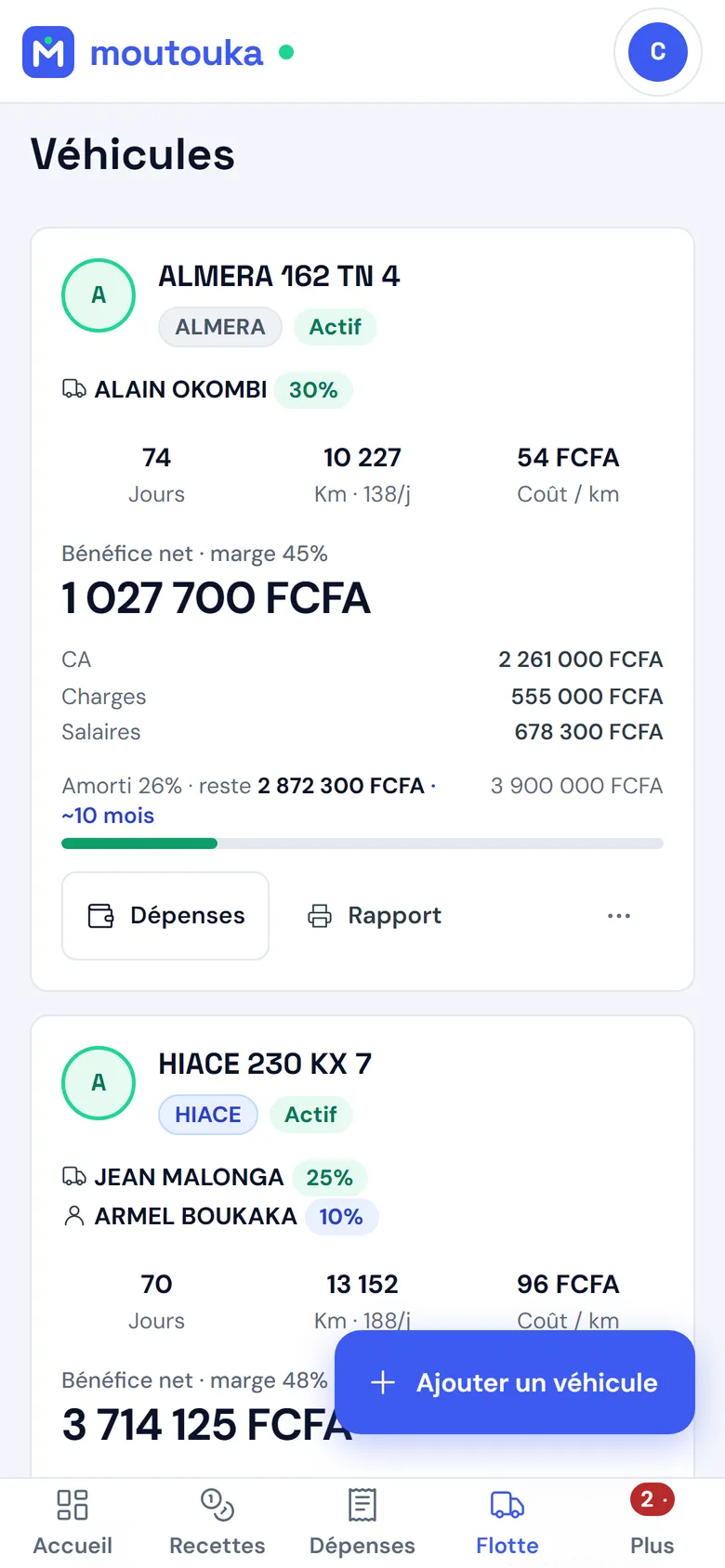
Each vehicle has its file: its driver and, where there is one, its controller, its pay mode, its purchase price, its documents and its maintenance. Every month, it receives a grade from A to D calculated on its real profitability.

  • Net result, margin, cost per kilometre, kilometres per day
  • Capital recovery: how much of the purchase price has already been paid back
  • Vehicle report and expense report, ready to print
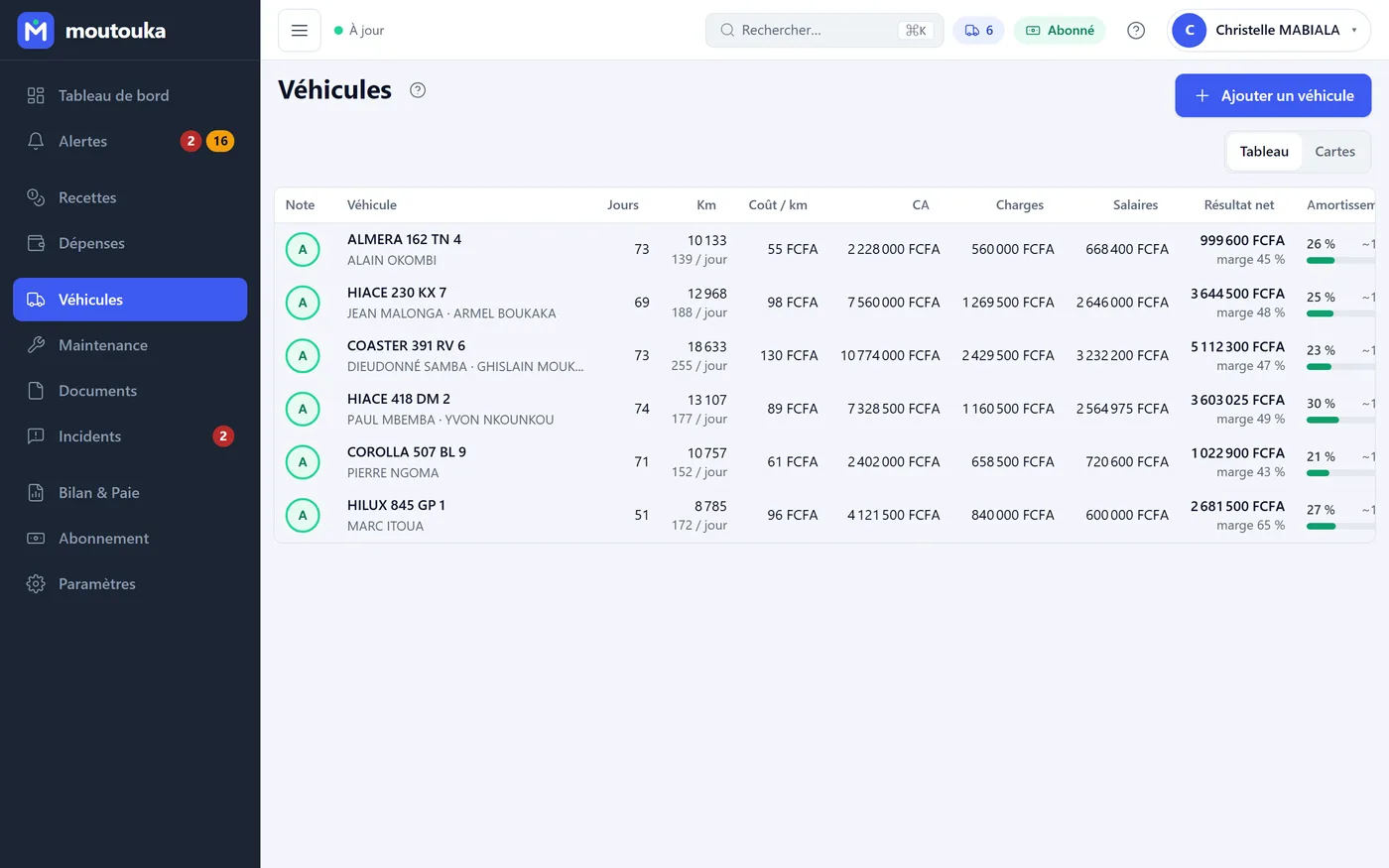
Vehicles screen (French interface): grade, driver, days, kilometres, cost per kilometre, turnover, costs, pay, net result, depreciation.
The Vehicles screen on a phone (French interface): each vehicle with its grade, driver, days, kilometres, cost per kilometre and net profit.

Revenue and expenses

Every franc in and every franc out, in a few seconds

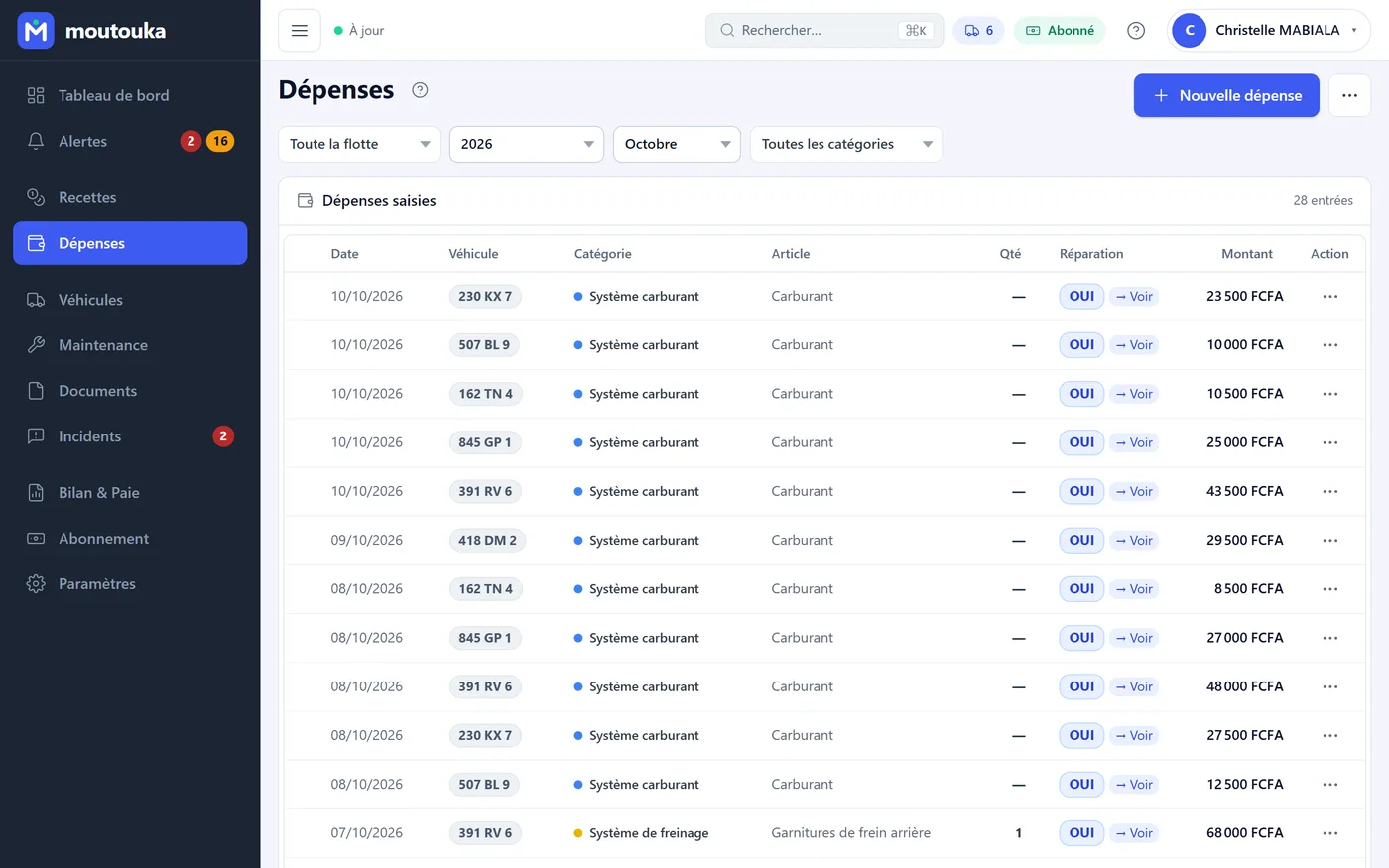
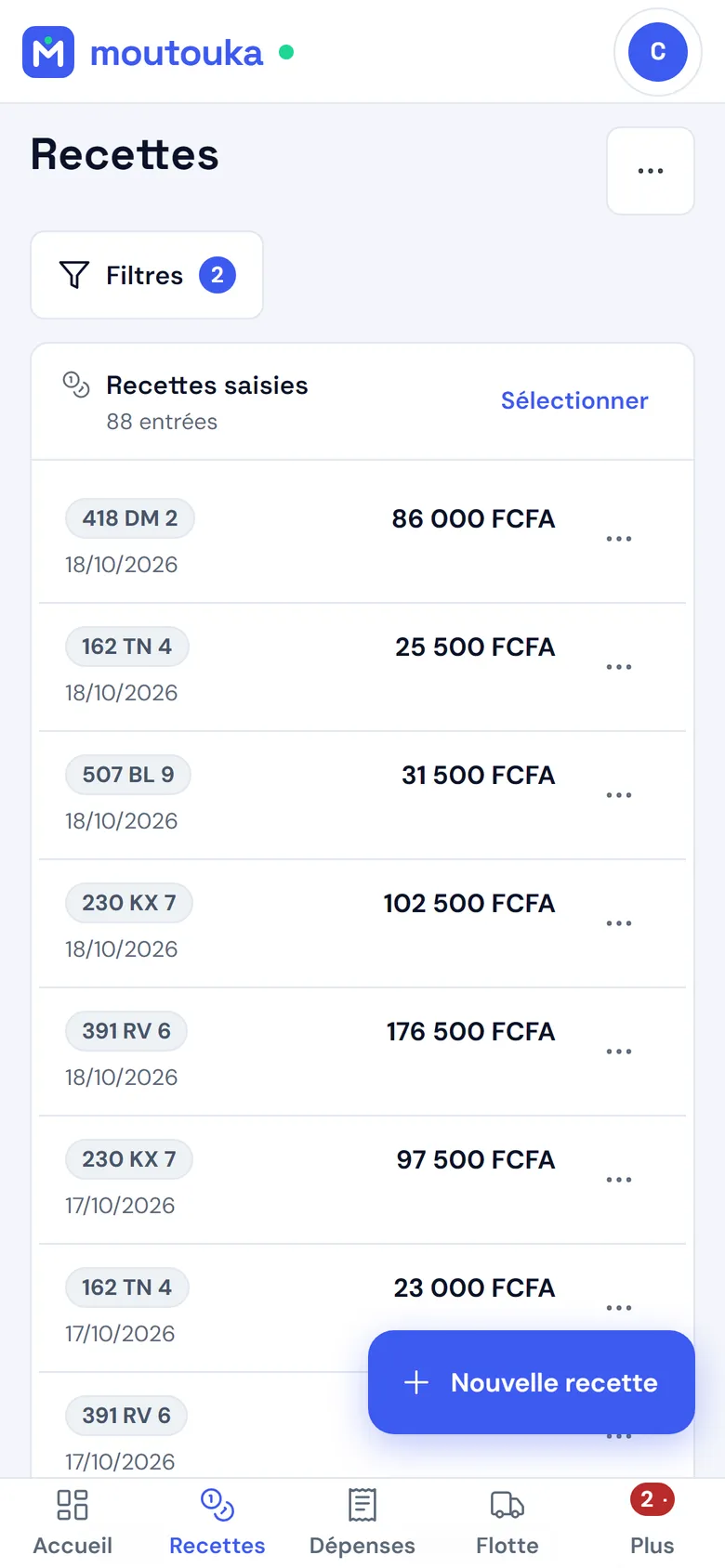
Revenue is recorded with its kilometres, either as one amount or split between driver and controller. The commission is calculated automatically and frozen at entry. Expenses have 18 categories, a quantity, a unit price and the parts catalogue.

  • Import from Excel, with a template file to download
  • Accounting close: a locked month can no longer be changed
  • Categories adjustable to your business
Expenses screen (French interface): entering an expense with its category, item, quantity and price, and the month's list.
Revenue on a phone (French interface): each entry with its vehicle, date and amount.

Pay

Driver and controller pay, without a spreadsheet

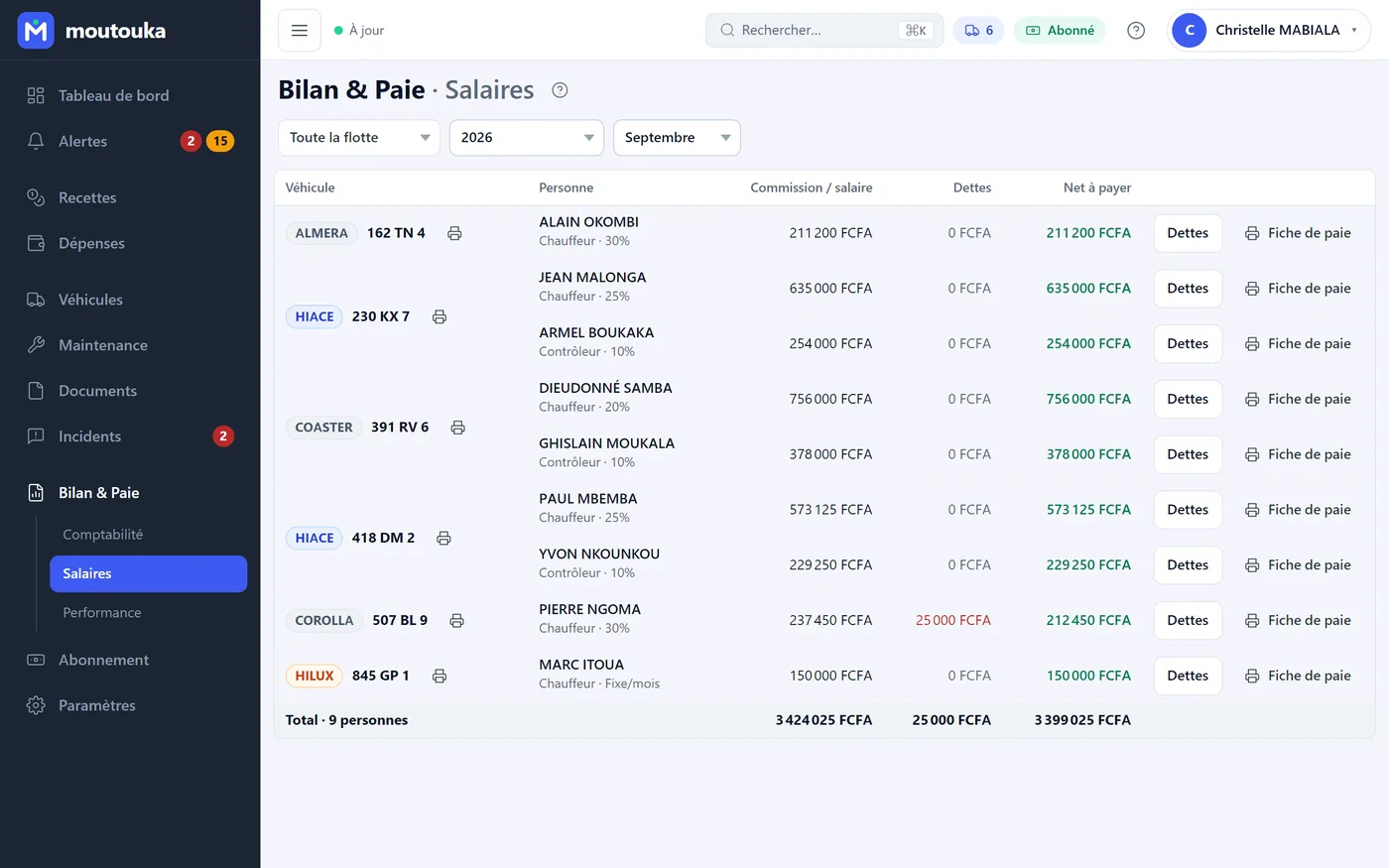
Commission on revenue, daily rate or fixed monthly salary: the mode is set per vehicle, for the driver as for the controller. Advances are deducted. Each person has their payslip, and each vehicle its summary.

  • Changing a rate never rewrites history
  • The driver sees the same figures on their phone
Pay screen (French interface): per vehicle, each person with their commission or salary, their debts and their net pay, the total and the payslips.
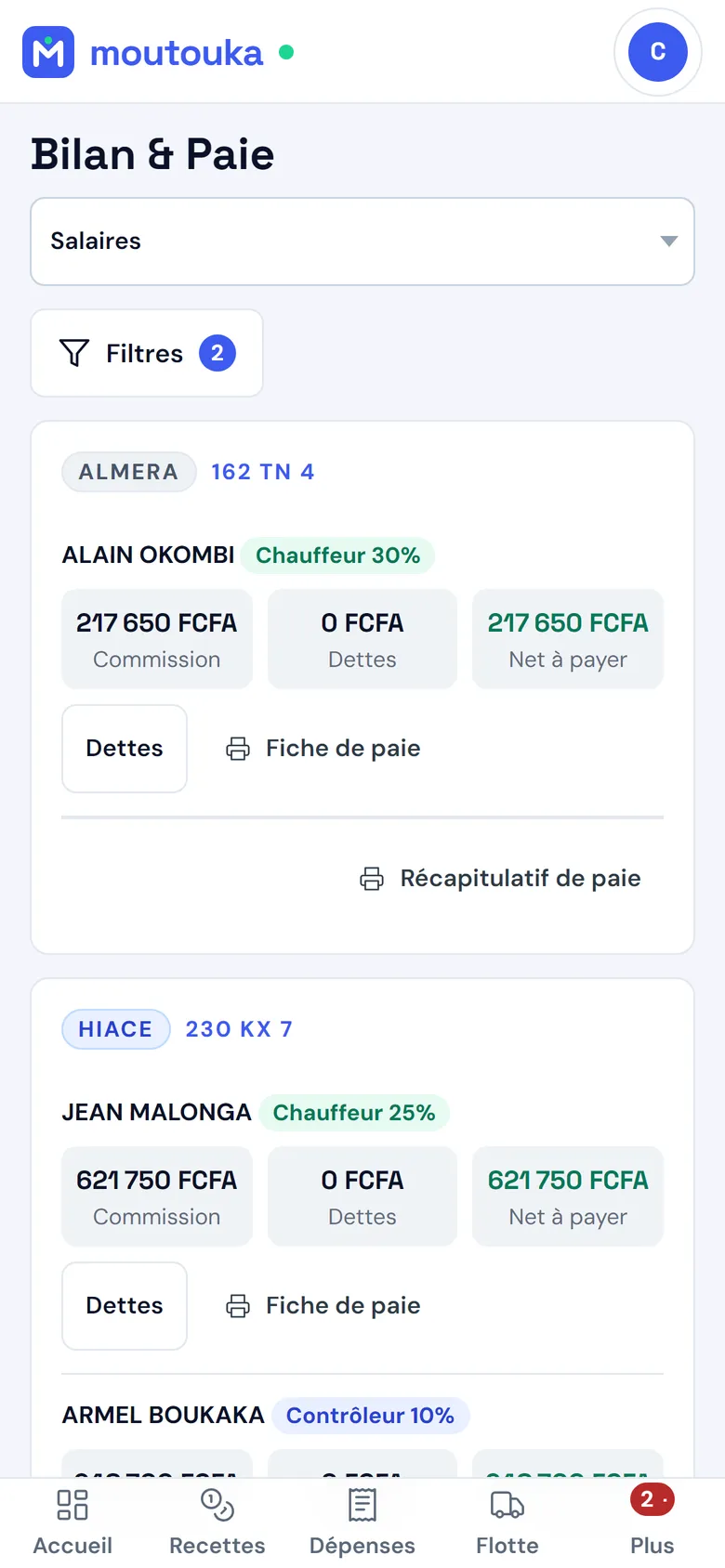
Pay on a phone (French interface): each person, their commission, their debts, their net pay.

Balance and performance

What the period really brought in

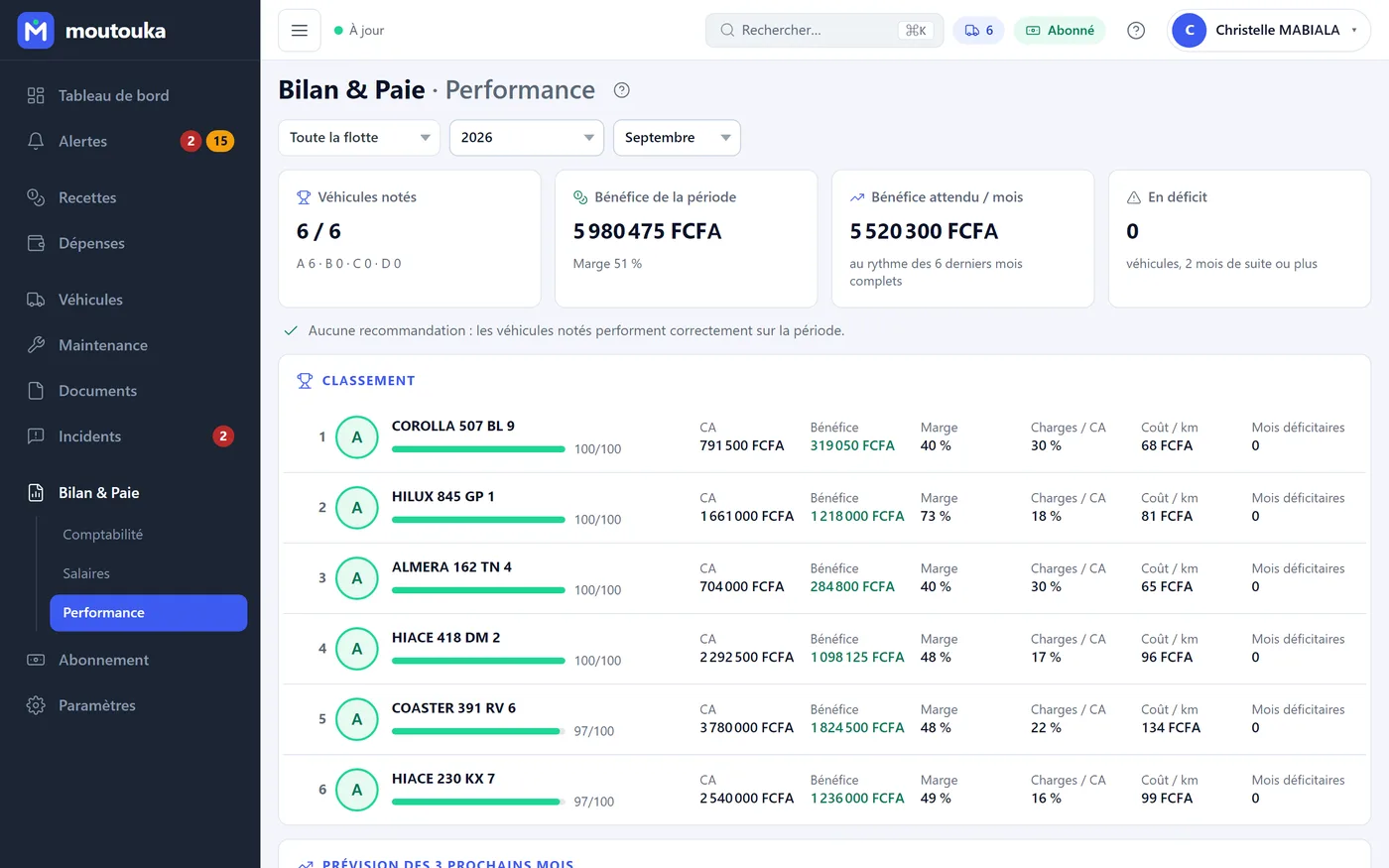
Month-by-month accounts, the vehicle ranking, those in deficit two months running, and a forecast for the next three months calculated on complete months.

  • Dashboard for the month, compared with the previous one
  • Recommendations when a vehicle drops off
Performance screen (French interface): graded vehicles, profit for the period, expected profit per month, ranking.
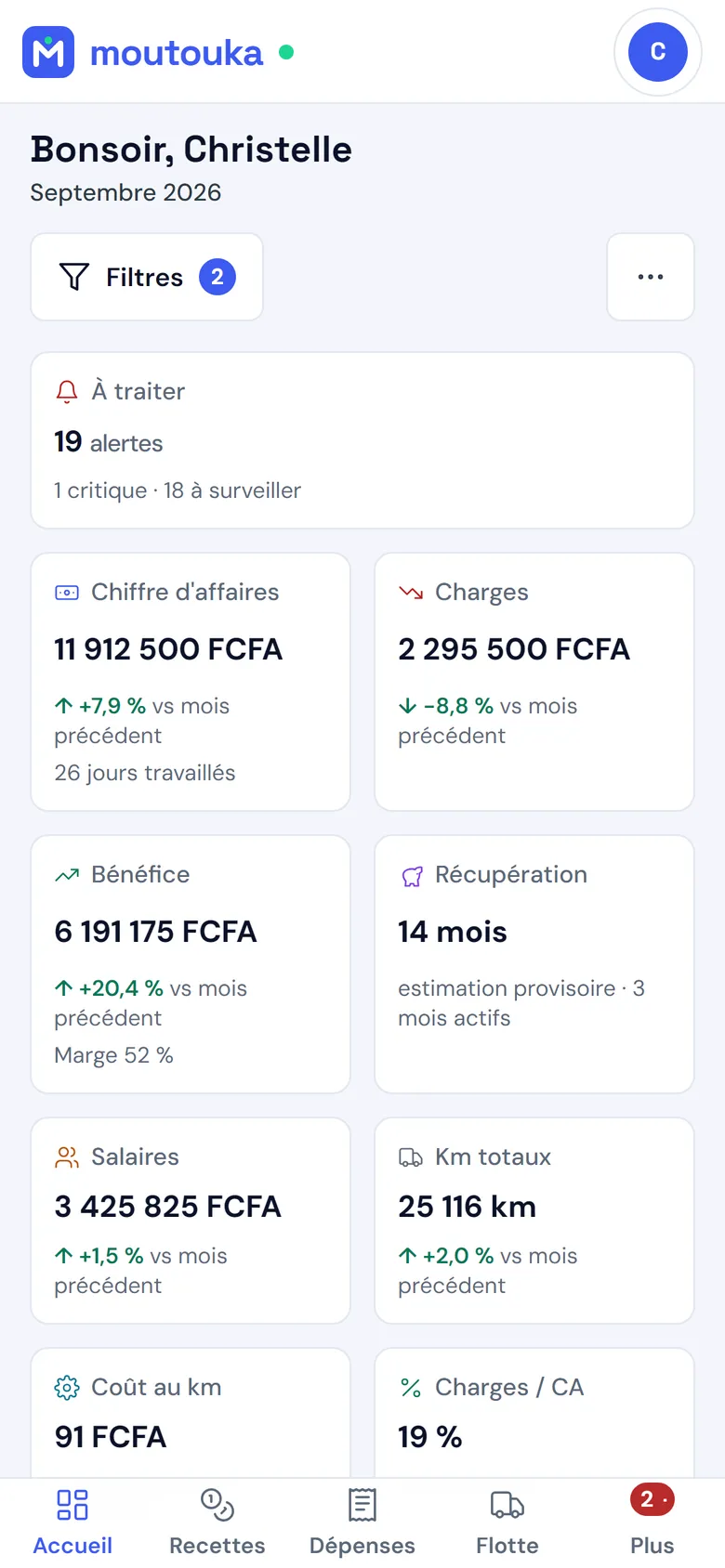
The dashboard on a phone (French interface): turnover, costs, profit and pay for the month, compared with the previous month.

Maintenance and alerts

Service before the breakdown

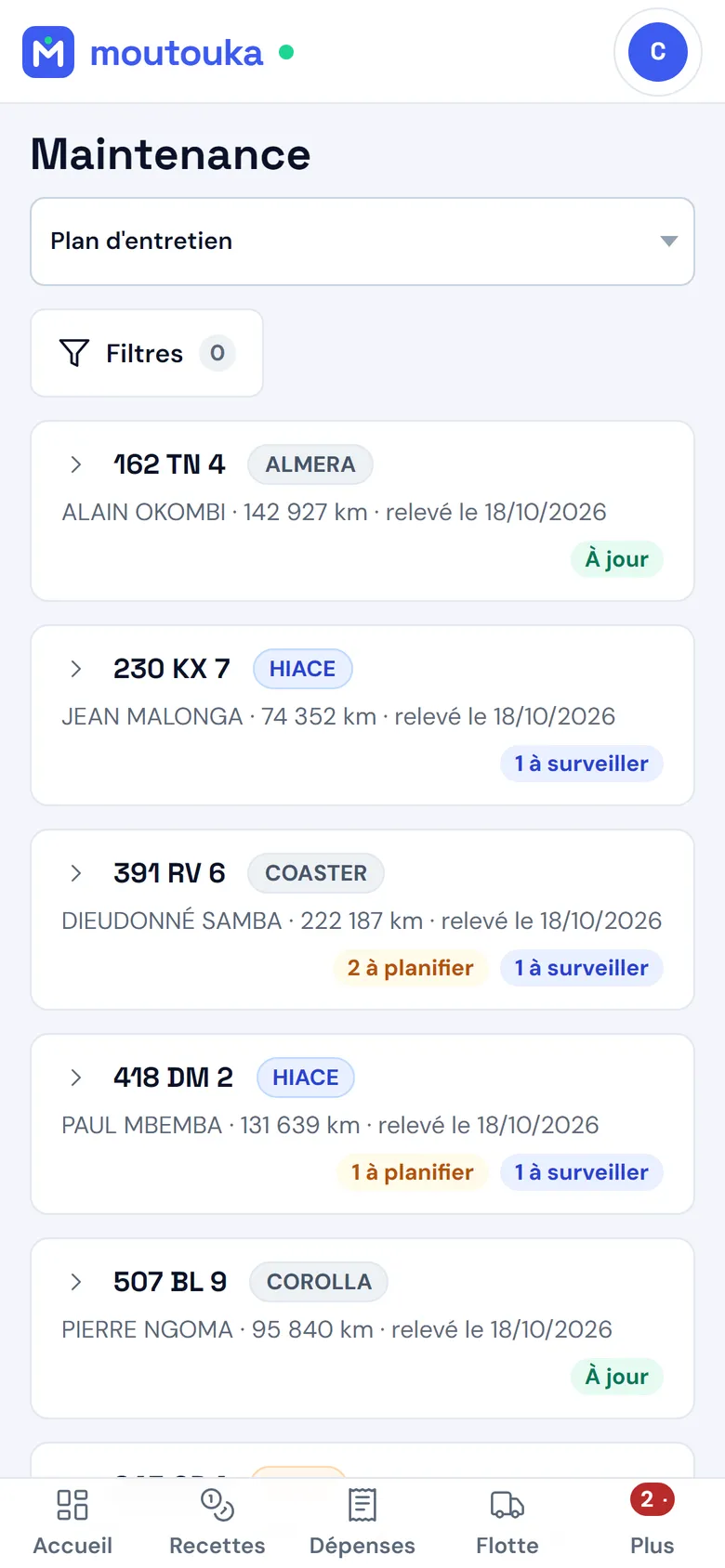
A maintenance plan per vehicle — oil change, filters, brake pads, tyres, belt, battery — with the last service and the next due date in kilometres or days. Alerts gather what needs your attention.

  • Overdue maintenance, document about to expire, abnormal expense, high cost ratio
  • Repair history, parts catalogue, control of parts that come back too often
  • Each alert can be handled, assigned, commented
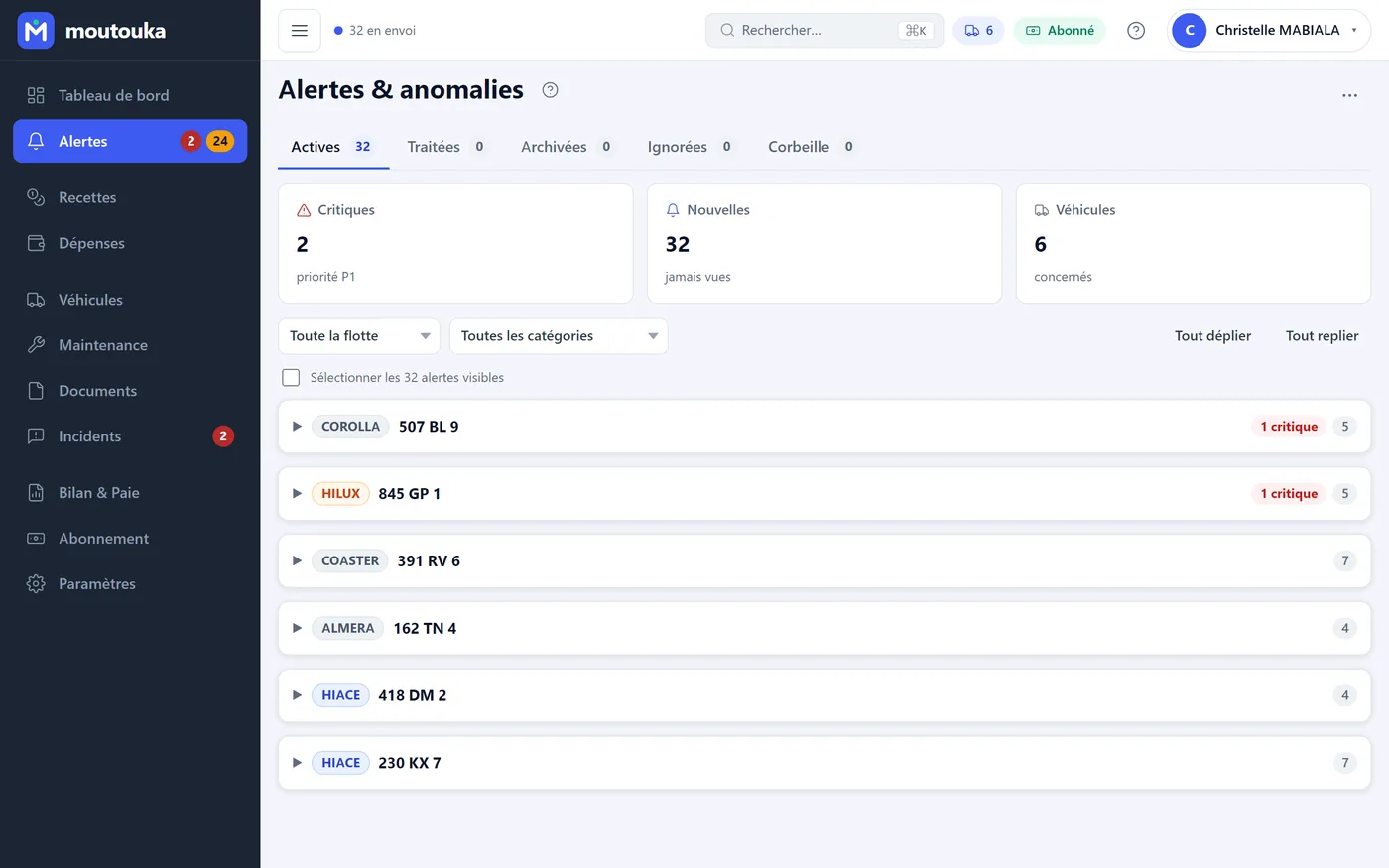
Alerts screen (French interface): critical, new, vehicles concerned, alerts grouped by vehicle.
The maintenance plan on a phone (French interface): each vehicle, its mileage and the state of its maintenance, up to date, to plan or to schedule.

Documents and incidents

Papers up to date, the road heard

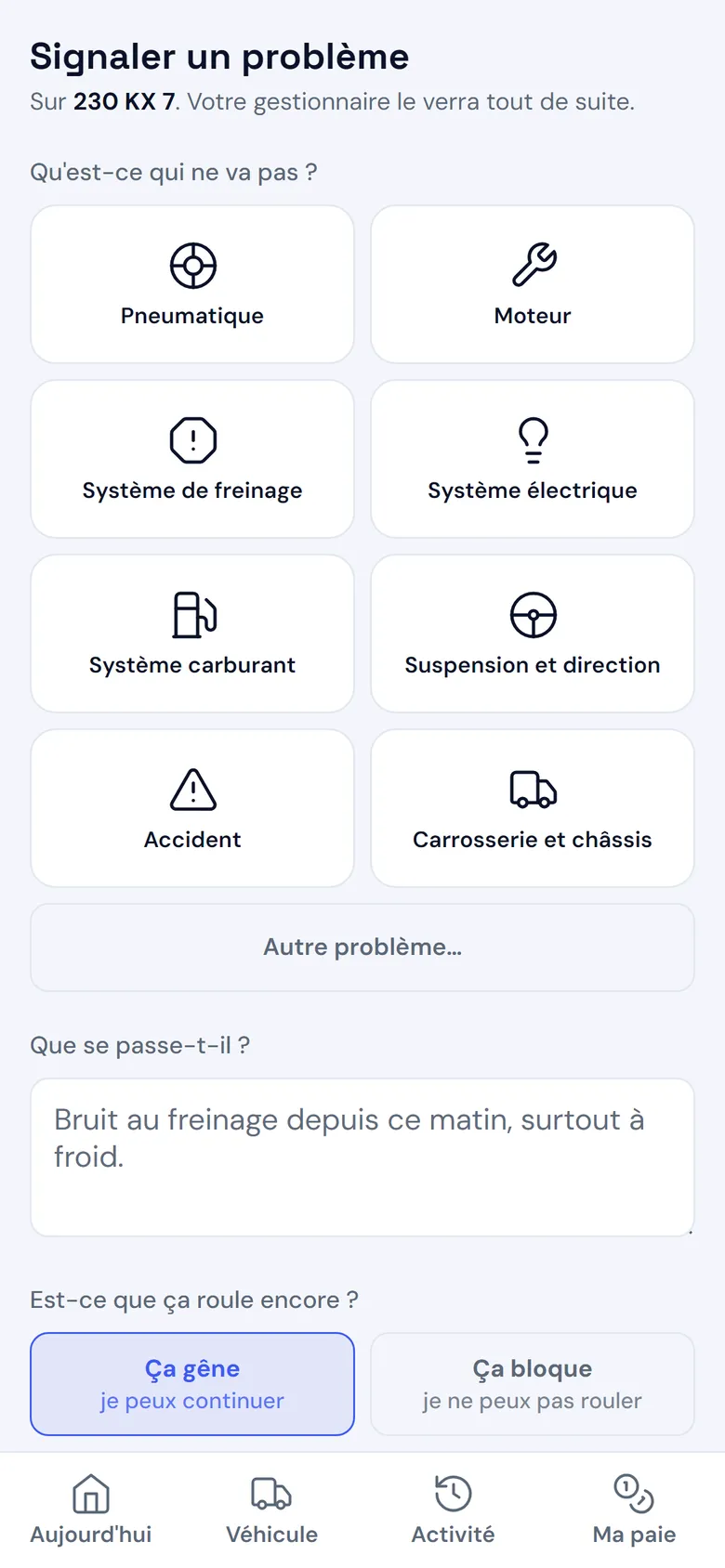
Insurance, roadworthiness test, registration, licence: each document has its expiry date, and a file can be attached. The driver reports a problem from their phone, with up to three photos; you reply, they see the reply.

  • Alert before a document expires
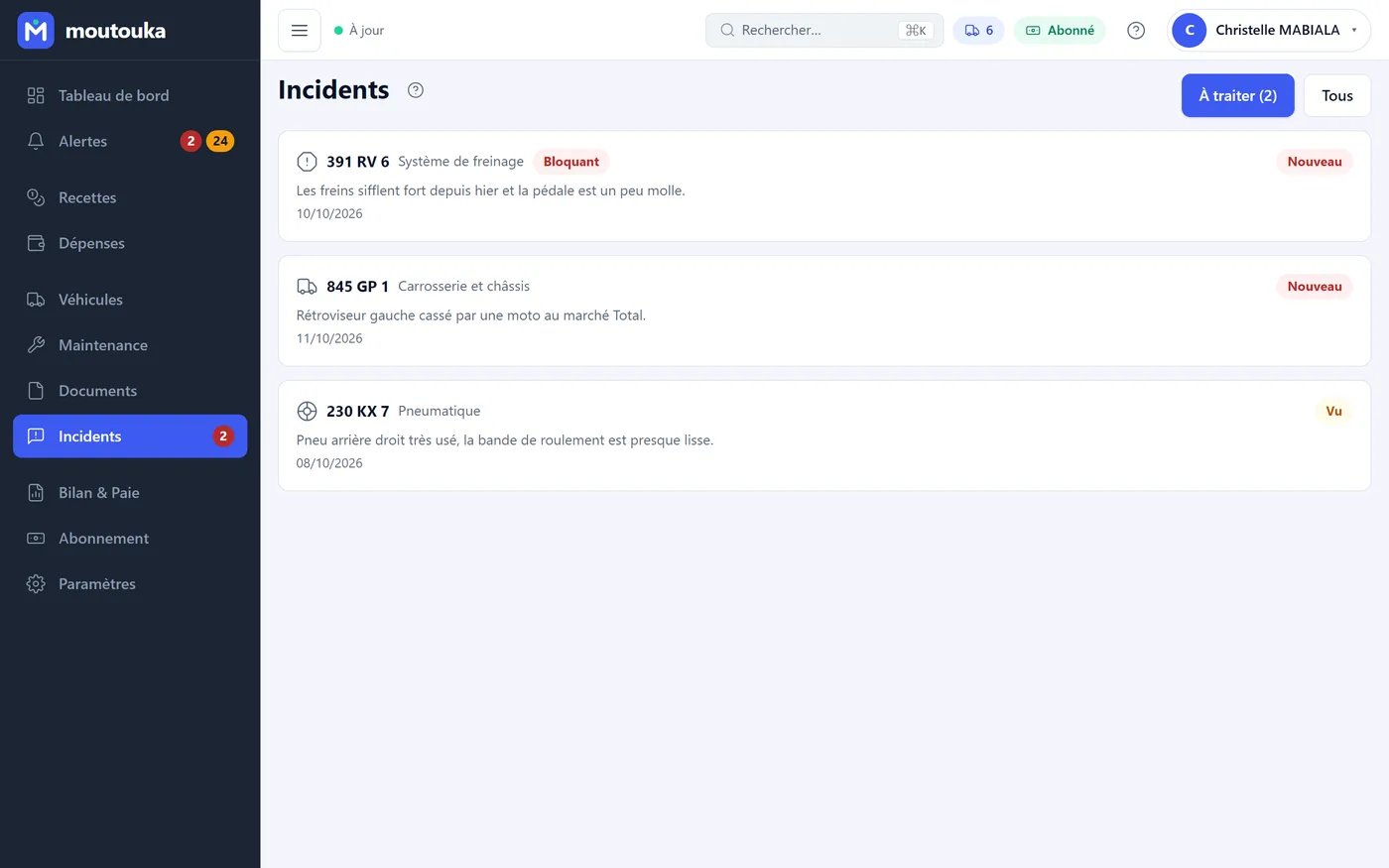
  • Incidents: minor or blocking, new, seen, handled
Incidents screen (French interface): problems reported by drivers, with vehicle, category, severity and status.
Reporting a problem from the driver's phone (French interface): category, description and photos.

Driver space

Their day, on their phone, even without network

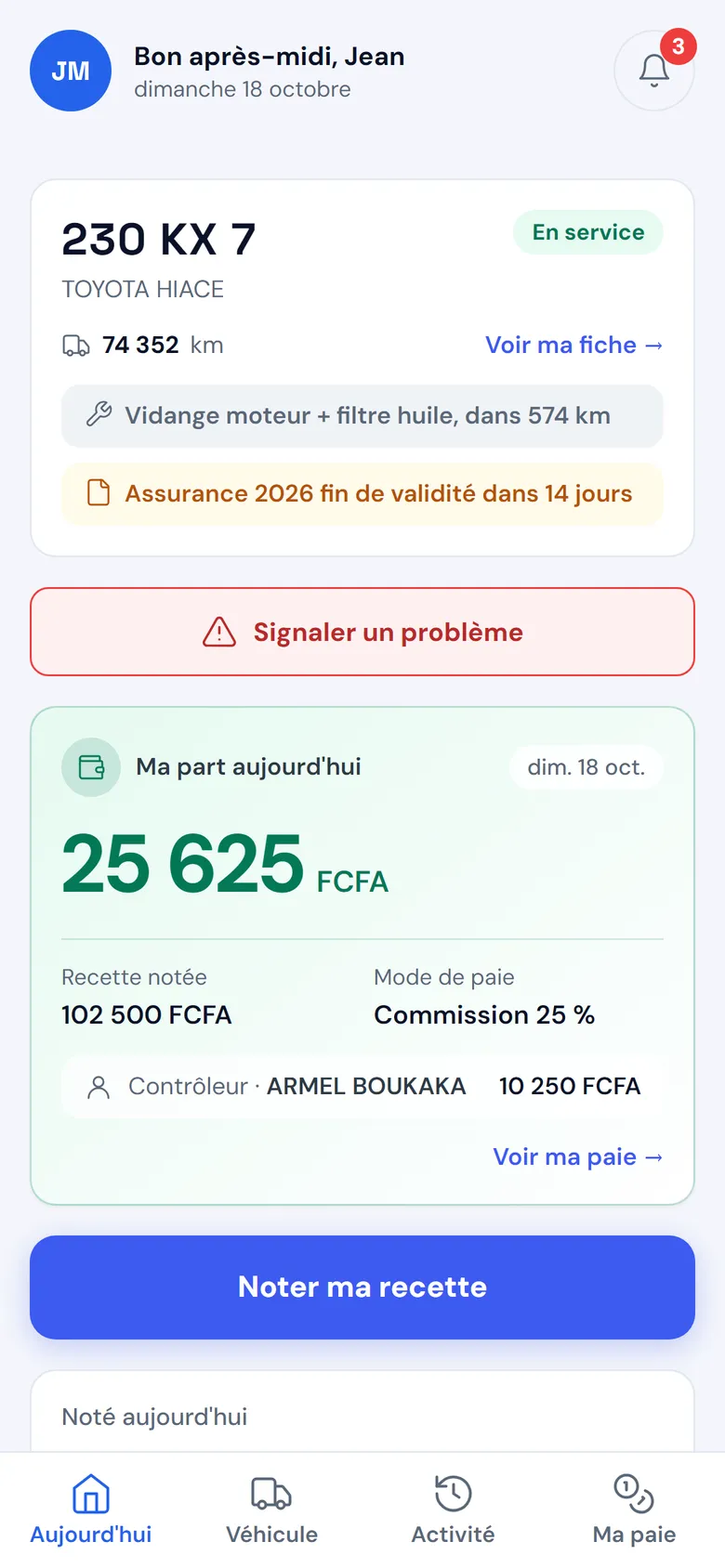
The driver sees their vehicle and what is coming up, records revenue and expenses with a numeric keypad, knows their share of the day and their pay for the month. Without a connection, entries stay on the phone and are sent when the network returns. They only see their own vehicle.

  • Corrects what they recorded, today and yesterday
  • Installs on Android from Chrome, full screen
The driver's home screen (French interface): their vehicle, upcoming maintenance and insurance, their share of the day.
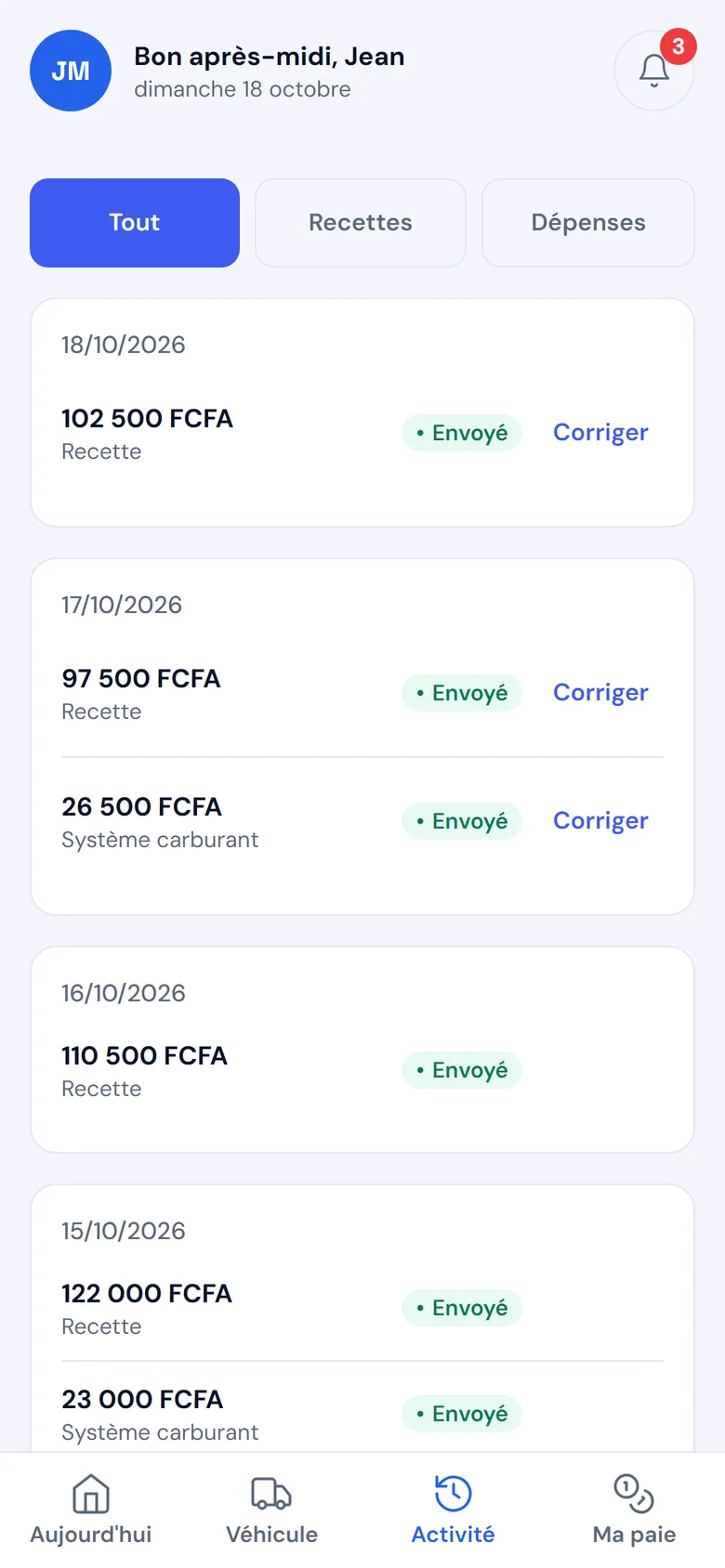
My activity (French interface): the revenue and expenses recorded by the driver, day by day, with their sending status.

Team and data

A role for everyone, your data kept safe

Invite your team members with a code, each with a role: the administrator sets up the company and manages accounts, the manager records and edits, the reader views, the driver only sees their own vehicle.

  • Synchronised between your devices, backed up every night
  • Restore to a date, full Excel export, activity log
  • Built-in support from inside the application
The management dashboard on a phone (French interface).
Pay on a phone (French interface): each person, their commission, their debts, their net pay.

Free for one vehicle. 30-day trial beyond that.

Create your account, add your vehicles, invite your drivers.